
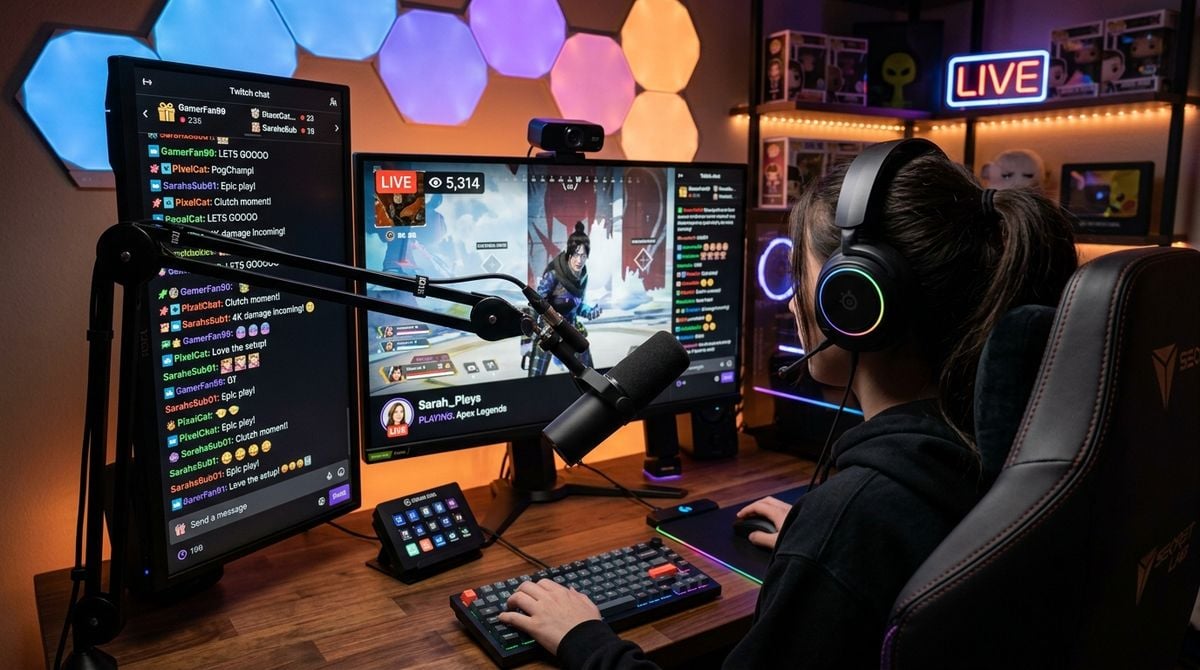
Broadcasting a gaming session requires much more than a sharp webcam feed and smooth frame rates. Sound breathes life into a virtual world, establishes the mood for your broadcast, and keeps your audience connected to the narrative. When dialogue, music, and gameplay audio harmonize, viewers can relax and enjoy the stream. When those same elements fight for attention, even the most thrilling gameplay can feel tiring to watch.
Many creators encounter a common frustration when combining live speech, game soundscapes, background melodies, and community alerts into a single broadcast feed. Explosive in-game combat can suddenly overpower quiet vocal commentary, or an upbeat music playlist can drown out subtle character dialogue. Solving this tension is not about buying costly studio equipment or cluttering your desk with heavy analog hardware.
Achieving a balanced soundscape comes down to thoughtful routing, sensible technical choices, and an organized media workflow. By treating your broadcast audio as an interconnected system rather than a random collection of noise, you can deliver an engaging experience that respects the artistry of the games you play while keeping your voice clear and intelligible.
Separating Audio Tracks for Independent Control
The first step toward a polished broadcast is splitting your sound sources into discrete channels before they reach your streaming software. When every application on your computer dumps audio into a single master channel, you lose the ability to fix problems quickly. If a game features loud cutscenes, lowering your master computer volume reduces what you hear in your headphones while doing nothing to balance the sound for your viewers.
Virtual audio routing software allows you to assign specific applications to dedicated digital channels. You can assign your game audio to one track, your voice communication software to another track, your microphone to a third track, and your background music to a fourth track. This separation gives you complete control over how each element behaves in the mix.
Independent tracks also protect your listeners from uncomfortable volume spikes. During intense multiplayer matches, teammates might shout in excitement or celebrate a victory. With an independent voice chat channel, you can soften teammate voices for your broadcast without turning them down in your private gaming headset. This balance ensures your commentary remains the central focus of the broadcast at all times.
Making Objective Choices When Selecting Audio Tools
The audio software landscape offers countless digital audio workstations, virtual mixers, equalizer plugins, and compression filters. Navigating these options can quickly become overwhelming, especially when marketing claims push creators toward overly complicated software suites that consume valuable system resources.
Making smart decisions about your software pipeline requires stepping back from hype and examining what your broadcast truly needs. Applying structured decision-making methods helps you evaluate options calmly based on software stability, ease of maintenance, and actual operational demands. Finding reliable frameworks through resources such as Mysqmclub.com can guide your technical choices by providing clear techniques for evaluating tools objectively rather than making impulsive adjustments to your workflow.
Focus your attention on software that offers low processing latency, reliable driver support, and clean visual metering. A simple digital mixer that opens reliably every time you power on your computer is far more valuable than an intricate plugin chain that crashes during an active gameplay session. Selecting tools that solve specific routing problems keeps your system stable and leaves you free to concentrate on gaming.
Tracking Industry Updates and Tech Platforms
Broadcast platforms and social entertainment channels continuously update their audio handling standards, encoding specifications, and playback algorithms. An audio balance that sounds clear on a desktop computer with stereo speakers might sound muffled when delivered through a mobile phone speaker or over a compressed cellular connection.
Remaining aware of broader technology changes, digital platform adjustments, and industry standards helps creators anticipate technical shifts before they cause broadcast problems. Reviewing reliable digital publications such as topsmnews.com allows you to stay informed on technology developments, social media shifts, and digital media trends that influence how online audiences consume entertainment content.
Understanding emerging delivery formats and mobile platform habits helps you fine-tune your broadcast sound for different listening environments. When you know how platform compression treats high frequencies or bass heavy sound effects, you can adjust your equalization gently to preserve speech clarity across all devices. Proactive awareness eliminates the stress of discovering unexpected audio distortion from viewer complaints.
Structuring Your Audio Files and Game Assets
A dynamic gaming broadcast often incorporates sound cues, background music playlists, transition stingers, and soundboard clips. When these digital assets are scattered haphazardly across desktop folders and random download directories, locating the right track during a live broadcast becomes clumsy and distracting.
Maintaining a tidy audio library requires the same discipline used when managing installed game titles and save files. Adopting a methodical approach to organizing your digital game library can inspire a clean structure for cataloging your sound assets, backing up custom audio files, and keeping critical game media easily reachable under pressure.
Establish a logical directory structure that separates your media by practical category. Keep ambient background loops in one primary folder, vocal alerts in another, and dramatic transition stingers in a third. Clear file names that describe the tone and duration of each audio file ensure that you can trigger the appropriate sound cue without hesitation during gameplay.
Establishing Practical Routines for Sound Checks
Even with distinct routing tracks and organized files, different video games handle dynamic range in unique ways. A quiet indie exploration title might feature delicate acoustic instruments and quiet nature sounds, whereas an intense competitive shooter presents sudden gunfire, vehicle engines, and thunderous explosions. Preparing your mix before you start streaming avoids unpleasant surprises.
A brief pre-broadcast check gives you confidence that every channel operates within a comfortable listening range. Run through this short verification sequence before welcoming your audience:
- Inspect microphone placement and confirm your input gain sits comfortably without peaking.
- Boot up the game and listen to combat sound effects to ensure they do not mask your speaking voice.
- Start your background music playlist and confirm that vocal melodies do not compete with dialogue.
- Test incoming voice chat from friends to confirm it routes to your private communication channel.
Cultivating dependable listening habits transforms audio management from a chore into a natural extension of your creative setup. When dialogue remains intelligible, music sets an inviting background mood, and game audio conveys every dramatic moment, your broadcast becomes an immersive space where viewers want to stay and listen.