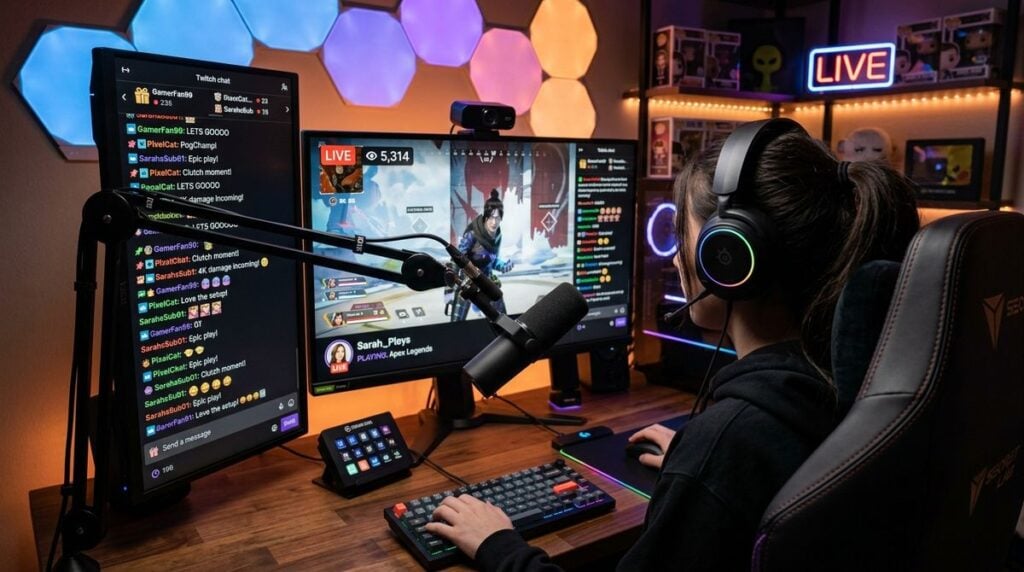
Creating a dedicated space for music production or gaming often starts with a simple vision. You acquire a primary interface, a console, or perhaps a reliable synthesizer. Over time, that setup evolves. You add peripheral devices, upgrade your monitors, and bring in new controllers. While this expansion fosters creative possibilities, it frequently introduces complex challenges regarding signal flow, physical space management, and overall system reliability. Navigating these challenges requires intentional planning to ensure that your technical environment supports, rather than hinders, your creative output.
The Challenge of Expanding Your Creative Setup
When you start building your studio, the connections are straightforward. As your hardware library grows, the complexity increases exponentially. You may find yourself spending more time troubleshooting signal paths or unplugging devices to make room for others than actually engaging with your creative work. This shift from a focused environment to a cluttered one can be subtle, creeping in as you add more components to your desk or rack.
The core issue is often a lack of initial infrastructure. When connections are made in a reactive manner—simply plugging something in because you need it to work right now—you lose sight of how it interacts with the rest of your system. Recognizing this pattern is the first step toward a more manageable environment. Instead of viewing every new piece of equipment as an isolated addition, consider how it fits into your broader architecture. This mindset shift allows you to prioritize streamlined integration, ensuring that your setup remains flexible as you continue to grow.
Establishing a Standard for Cable Management
Effective cable management is more than just aesthetics; it is fundamental to system stability and ease of use. When cables are tangled, tracing a faulty signal becomes an exercise in frustration. Developing a systematic approach to routing cables can save significant time and reduce the likelihood of accidental disconnections. Whether you use cable ties, sleeves, or dedicated trays, the goal is to create defined paths for your audio, power, and data lines.
To improve your daily interaction with your equipment, look for ways to make your technical processes more efficient. Incorporating resources like pc4sy.com can help you identify methods to simplify your hardware interactions, turning difficult technical hurdles into easier daily operations. By creating a clear physical roadmap, you reduce cognitive load, allowing your brain to focus on sound design or gameplay rather than troubleshooting.
Consider these practical steps for organizing your physical connections:
- Label both ends of every cable to ensure quick identification during setup changes.
- Separate power cables from audio and data cables to minimize potential interference.
- Group cables by function, such as keeping all controller lines together and all audio monitoring lines together.
- Use cable management solutions that allow for easy access, enabling you to add or remove devices without disrupting the entire system.
- Keep a small supply of essential adapters and extension cables in an organized, easily accessible bin.
Managing Connections Between Hardware and Software
Modern creative environments rely heavily on the bridge between hardware and software. Ensuring that this bridge is stable is essential for a seamless workflow. Signal flow issues, such as latency or dropouts, often stem from poorly managed digital connections or overcrowded USB buses. Simplifying these connections involves being deliberate about how your hardware reports to your primary workstation.
For those looking for guidance on handling intricate connections, platforms such as digital-polyphony.com provide insights into managing modern setups and finding simple solutions for complex connections. Understanding how your devices interact with your computer’s resources is vital. Avoid daisy-chaining too many devices, as this can degrade performance and create unpredictable behavior. Instead, use powered hubs or dedicated connections directly to your computer whenever possible to ensure each device has enough bandwidth and power to function correctly.
Consistency is key when managing these connections. If a device works well on a specific port, try to keep it there. Moving devices frequently between different inputs can lead to configuration errors in your software, forcing you to re-map your inputs and outputs constantly. By keeping your hardware mapping stable, you establish a predictable environment that is ready for creation the moment you sit down.
Building a Resilient Workflow
Beyond the physical and digital connections, a resilient workflow relies on how you document your setup. When everything is connected seamlessly, it is easy to forget exactly how you achieved a particular configuration. Establishing a method for documenting these details ensures that you can recover your setup quickly if you need to make changes or move equipment.
As you refine your approach, consider better ways to track your physical studio setup to help maintain your workflow efficiency. Documentation does not need to be overly formal; simple diagrams, photographs of your rack configurations, or a spreadsheet listing your device signal paths can be incredibly effective. This practice is particularly helpful when you need to troubleshoot, as it provides a clear reference point to compare against when something stops working as expected.
A resilient workflow also involves anticipating potential points of failure. If you rely on a specific interface for your audio, having a clear plan for what happens if that device fails—or if you need to switch to a backup—can mean the difference between a minor pause and a significant disruption. By planning for these scenarios, you build confidence in your environment, knowing that you can recover from technical issues without losing your creative momentum.
Routine Maintenance for Long-Term Reliability
Even the most perfectly organized studio requires regular maintenance to stay functional. Dust, temperature changes, and general wear and tear can gradually affect your equipment. Periodic checks help you spot small issues before they become major problems. This does not require daily effort, but rather a consistent, low-intensity habit of observing your setup.
Spend a few moments every few weeks inspecting your cables for signs of fraying or damage. Listen for any new background noise or intermittent signals that could indicate a loose connection. Gently cleaning dust from your equipment and your desk area also prevents long-term problems that can arise from debris entering your hardware ports. These simple, routine tasks contribute to a reliable environment where you can trust that your gear will perform consistently whenever you need it.
Ultimately, the effort you put into organizing, simplifying, and maintaining your creative environment pays off in the freedom it grants you. A well-integrated studio is one that you stop noticing, allowing your attention to stay entirely on the creative act. By treating your hardware setup as an evolving project rather than a static collection of devices, you ensure that your technical space supports your growth and sustains your creative focus over the long term.