Stepping into the world of sound production, game streaming, and digital entertainment often feels overwhelming. Anyone setting up a desk for broadcasting gameplay, recording voice commentary, or producing background music encounters an intimidating wall of technical jargon. Packaging and manuals are crowded with short codes, connector types, and hardware ratings that can confuse even enthusiastic beginners.
Understanding these specifications without confusion is a valuable skill for creators. When you know how hardware components interact, you can make confident choices and build a reliable setup tailored to your creative workflow. Rather than guessing based on marketing buzzwords, learning the fundamentals of sound technology allows you to assemble an environment that balances interactive gaming and audio production effortlessly.
From Acoustic Sound to Digital Signals
Every digital sound setup relies on a fundamental chain of hardware. When you speak into a microphone during a stream or sing over an instrumental track, your vocal cords create physical air vibrations. The microphone capsule captures this movement and converts it into a tiny electrical voltage known as an analog signal. Because computers only process digital data, that electrical wave must be captured and translated into numbers.
This conversion relies on analog-to-digital converters, which equipment packaging frequently abbreviates to short letter combinations. Manufacturers routinely use shorthand references for converters, digital signal processors, and clocking circuits. Consulting a comprehensive reference like Fullformguide helps clarify what these unfamiliar terms mean when reviewing technical hardware descriptions. Once you recognize these standard industry labels, reading audio spec sheets becomes much simpler.
The reverse conversion happens when listening to your work. Digital-to-analog conversion turns numeric data back into an electrical current that drives your studio monitors or headphones. Choosing an audio interface with clean conversion stages helps keep your spoken voice natural and subtle sound effects in competitive games distinct and clear.
Audio Connections and Cable Types Explained
Physical cables and connectors are another area where sound gear creates confusion. Standard consumer gaming headsets often use simple multi-contact miniature plugs that combine microphone input and headphone output into a single connector. While convenient for quick voice chat, these consumer connections are vulnerable to electrical interference from nearby computer power supplies, graphics cards, and monitor cables.
Dedicated studio microphones and active desktop speakers rely on sturdier, professional connections. Circular multi-pin plugs deliver balanced microphone signals over long distances without gathering unwanted hum. Similarly, standard instrument and line cables come in both unbalanced and balanced wiring options. Choosing balanced wiring wherever your gear allows creates common-mode rejection, canceling out electrical interference before it reaches your mix.
Digital connections have also evolved significantly for desktop creators. While circular multi-pin connectors were once universal for musical keyboards and controllers, modern devices typically send data across standard computer cables. Knowing whether a device requires an external power adapter or runs entirely on bus power helps prevent overloading your computer ports during intensive sessions.
Software Drivers and System Latency Considerations
Hardware represents only half of a dependable audio workstation. Operating systems handle sound streams through software protocols and drivers, which determine how quickly audio travels between your hardware and active applications. In fast-paced games and real-time music tracking, delay between an action and its sound creates distracting lag. Low-latency drivers allow creative software to communicate directly with hardware, avoiding system mixers that introduce delay.
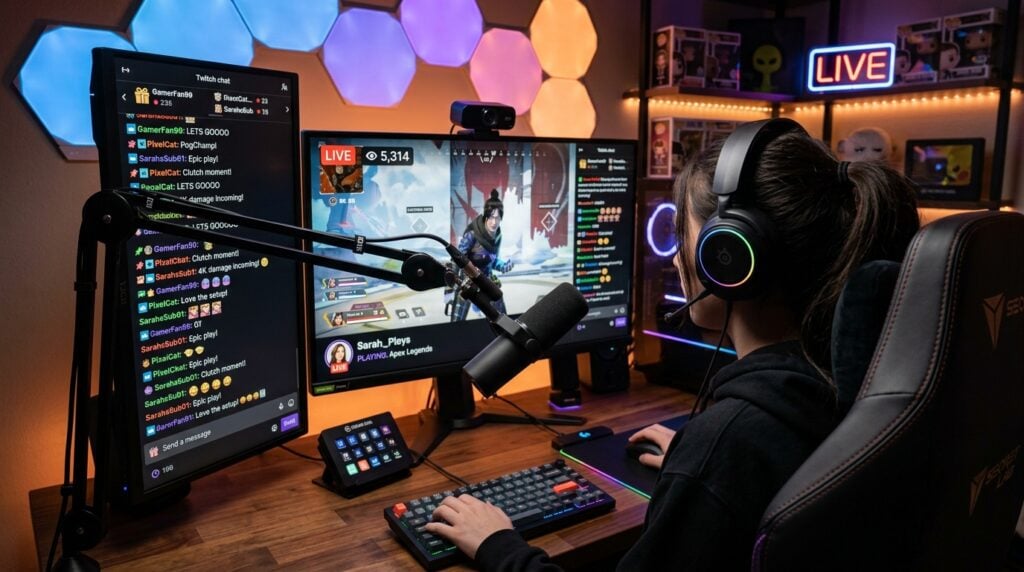
Broadcasters and content creators also rely on virtual routing applications to manage multiple audio streams simultaneously. A streamer often needs game sound, voice communication, alerts, and music organized into independent software channels. Following a reliable technology source such as Wafnews.com keeps you informed on computing developments and software updates that influence desktop media production. Staying updated ensures your digital routing remains stable during live broadcasts.
Plugin formats present another layer of technical shorthand. Virtual instruments, equalizers, and vocal compressors run inside host software using standardized plugin architectures. Understanding which format your preferred production suite supports prevents software conflicts and helps your vocal chain load smoothly every time you start creating.
Workspace Ergonomics and Physical Studio Layout
Selecting the right gear provides little benefit if your workspace feels cluttered or uncomfortable. Microphones must sit close enough to capture rich vocal presence without blocking your view of your gaming display. Boom arms with internal suspension springs isolate delicate microphone capsules from desk thumps and keyboard clicks.
Cable management also protects your equipment over long sessions. Keeping cords secured prevents accidental pulls when you adjust your chair or move around your desk. Creators setting up a dedicated space can consult our guide on designing a safe home studio space for helpful insights on room arrangement, cable protection, and equipment safety. An orderly workspace leaves you free to concentrate on gameplay and musical creativity.
Practical Steps Before Buying New Equipment
Before purchasing new audio components, taking a methodical approach prevents impulse spending and equipment mismatches. Evaluating your setup requirements in advance ensures that every piece of hardware works together harmoniously.
- Identify your primary input needs by counting how many microphones and instruments you plan to record simultaneously.
- Check your computer connection ports to ensure compatibility with your audio interface without requiring daisy-chained adapters.
- Select balanced cables for your microphones and active monitors to minimize electrical buzzing from desktop hardware.
- Verify driver stability and operating system compatibility for any sound device you intend to use while gaming.
- Map your desk layout and cable routes before unboxing new hardware to ensure convenient access to controls.
Using this checklist helps you assemble a versatile setup without overcomplicating your desk. Starting with reliable core components allows your audio environment to grow alongside your creative skills.
Building Confidence in Your Creative Setup
Mastering audio terminology transforms how you interact with your creative gear. When you understand the purpose of every port, connection standard, and software driver, troubleshooting becomes a straightforward process rather than a frustrating guessing game. You gain the freedom to dial in clear vocal communication for competitive play and capture warm, expressive sound for your recordings.
Developing a dependable audio setup is an ongoing process of learning and refinement. By demystifying technical jargon and focusing on sound connection principles, you establish a solid foundation that supports your passion for music, gaming, and digital entertainment.