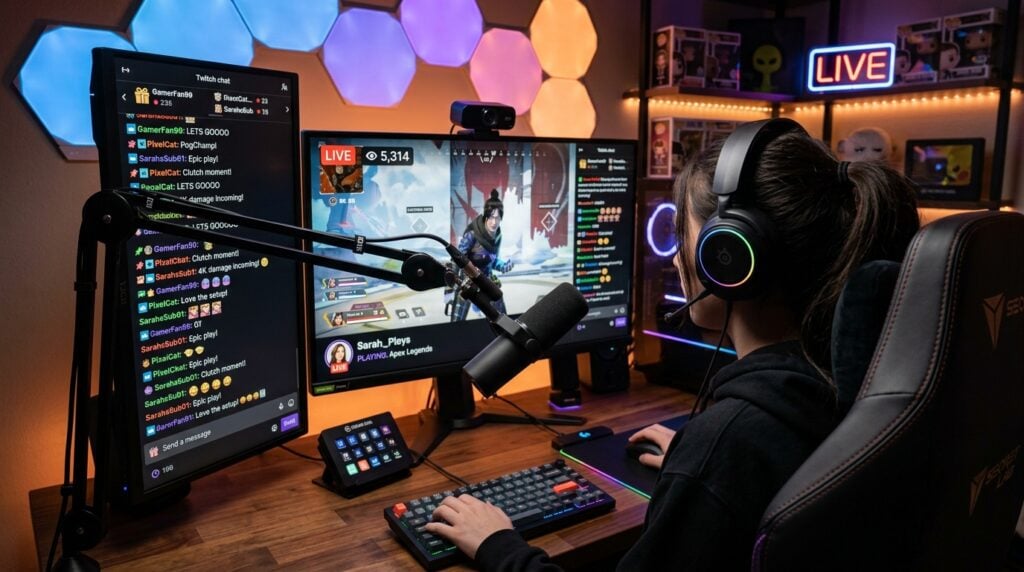
Many creators balance sound design, music composition, and gaming from a single desk. While producing music requires a focused acoustic space with neutral playback, gaming and streaming demand quick access to controllers, flexible display angles, and comfortable peripherals. Merging these two worlds into one cohesive setup often feels like an impossible compromise between clean audio precision and interactive entertainment.
When you organize your physical workspace thoughtfully, you do not have to sacrifice studio fidelity for gaming comfort. A hybrid station can support deep listening sessions during the day and immersive play at night. Achieving this balance comes down to deliberate spatial planning, clever acoustic treatment, tidy hardware routing, and sensible daily habits.
Separating Audio Workflows from Interactive Play
Working and playing in the same spot presents distinct acoustic and mental hurdles. Music production relies on an equilateral listening triangle where your studio monitors and your head form equal distances. In contrast, modern PC gaming often encourages wide ultrawide monitors or multi-screen arrays that can block the direct sound path between your speakers and your ears.
To solve this conflict without moving rooms, decouple your audio monitors from your main display plane. Mounting your speakers on dedicated floor stands behind or slightly above your screens prevents mechanical vibrations from reaching your desk surface. Angling them downward toward your listening position preserves crisp stereo imaging while keeping your screen space clear for high-refresh gaming displays.
Another effective strategy involves assigning dedicated audio profiles for each activity. Keep your reference interface set to a flat response for tracking instruments and mixing. When switching to gaming or voice chat, route communications to a secondary channel or a headset with an integrated microphone. This separation keeps your production master chain untouched while giving you instant control over game dialogue.
Building Practical DIY Acoustic Panels and Fixtures
Commercial acoustic foam often fails to control low frequencies and can look uninspiring on camera. Fortunately, building your own absorption frames allows you to tailor both sound treatment and room aesthetics. Using simple lumber frames filled with dense mineral wool or recycled insulation delivers far better absorption across critical midrange frequencies than lightweight foam tiles.
You can wrap these wooden frames in breathable fabric that matches your streaming aesthetic, creating functional wall art that doubles as serious sound control. For creators who want inspiration on crafting custom acoustic panels, building sturdy monitor shelves, and applying modern home improvement techniques to creative spaces, checking out bTrendie offers helpful guidance on trending interior projects and practical craft ideas. Incorporating durable timber, clean wrap corners, and hidden mounting brackets ensures your acoustic treatments look purposeful.
Corner bass traps should be your next priority. Low frequencies collect heavily where walls meet, causing boomy resonance that muddies music mixes and obscures delicate in-game audio cues. Stacking triangular absorption wedges or hanging thick rectangular frames across corners cleans up the lower octave, keeping kick drums punchy and subtle environmental audio in games distinct.
Structuring Your Daily Routine and Creative Habits
Sharing one workstation between music production and entertainment can easily blur your personal boundaries. When the same chair and display host your digital audio workstation and your favorite multiplayer games, staying focused on completing tracks becomes a major challenge. Establishing clear mental boundaries between serious work and relaxed play is just as crucial as tuning your hardware.
Adopting intentional daily rituals helps signal your brain when it is time to create and when it is time to unwind. For example, changing your desk lighting from bright, neutral white during production hours to warm accent tones during gaming sessions creates an instant environmental cue. If you are exploring fresh ways to organize your lifestyle, improve your focus, and establish positive creative momentum, exploring blog-buster.net provides insightful life ideas and practical inspiration for building sustainable personal habits. Small shifts in your mindset and schedule keep you from opening a game launcher when you intended to finish an arrangement.
Set clear blocks of time dedicated strictly to musical experimentation. During these production windows, close background gaming launchers, silence chat applications, and keep your primary MIDI controller front and center. Once your recording goals are met, store your instruments safely and transition the desk into leisure mode.
Cable Management and Desk Layout for Fast Switching
A cluttered desk filled with tangled cords creates visual stress and slows down your creative workflow. When you need to plug in a synthesizer, guitar, gamepad, and flight stick, disorganized cables become an active barrier to productivity. Designing a streamlined cable pathway lets you swap tools effortlessly without crawling beneath your workstation.
Consider installing an under-desk wire tray alongside heavy-duty straps to keep power cords and audio lines physically separated. Running unbalanced audio cables parallel to high-voltage power supplies can introduce hum and interference into your monitors. By organizing your connections into distinct groups, you maintain pristine signal clarity and a tidy desk surface.
A well-planned desktop layout generally relies on a few fundamental organization steps:
- Route all permanent power adapters and display cords through an under-desk raceway to keep the floor clear.
- Position your primary audio interface and headphone amplifier within arm’s reach on your non-dominant side.
- Place an accessible powered USB hub near the desk edge for hot-swapping gamepads, MIDI keyboards, and external drives.
- Use articulating monitor arms to raise screens off the desk surface, freeing up valuable space for musical gear.
Keeping your desk surface open ensures you can slide a MIDI keyboard into playing position in seconds or push it aside when you need full mouse travel for competitive gaming.
Adapting Your Environment to Modern Content Formats
The line between game streaming and music composition continues to dissolve as digital entertainment evolves. Many sound designers now broadcast their live creation process, while electronic musicians frequently incorporate interactive video elements and live chat audio into their performances. Designing your physical room to handle these hybrid formats ensures your workspace remains flexible for whatever projects come next.
To keep your workstation relevant, pay close attention to how audiences consume audio across different platforms. Broadcasters must balance speech intelligibility against dynamic background scores, while soundtrack composers must test how their work sounds on mobile speakers, gaming headsets, and studio monitors. By monitoring global media trends, creators can anticipate changes in streaming protocols, spatial audio standards, and interactive entertainment formats. This forward-looking mindset ensures your hybrid room stays capable of producing top-tier content across multiple mediums.
Equipping your space with secondary reference tools, such as closed-back headphones and a portable reference speaker, allows you to evaluate your audio from multiple perspectives before publishing. When your room handles both critical studio monitoring and dynamic broadcast delivery, you can take on diverse creative assignments with complete confidence.
Blending a gaming hub with an audio workstation is not about making compromises; it is about building an adaptable environment that supports your passions. By treating your acoustics, organizing your hardware pathways, and balancing your daily routine, you create a space that inspires focused music production and delivers pure entertainment whenever you are ready to play.