Audio creators, gaming commentators, and media editors constantly balance the desire for pristine listening environments with the realities of practical workspace design. Whether producing sound effects for interactive titles, editing narrative podcasts, or monitoring live competitive streams, the gear sitting on your desk shapes every creative choice. Navigating the modern audio hardware landscape, however, often feels overwhelming due to aggressive marketing claims and dense technical jargon.
Achieving clean, reliable sound reproduction does not require an endless budget or an acoustic bunker. Instead, it demands a clear understanding of your production workflow, sensible room preparation, and a methodical approach to evaluating gear. By focusing on fundamental sound characteristics rather than cosmetic branding, you can assemble a dependable workstation that serves both gaming and broadcast demands.
Understanding the Listening Demands of Interactive Media
Interactive game audio and broadcast sound present unique challenges that differ significantly from traditional music production. Modern games rely heavily on sudden dynamic shifts, ranging from subtle ambient room tone and soft footsteps to explosive combat sequences. If your playback equipment artificially accentuates low frequencies or masks delicate transients, subtle spatial cues can disappear entirely from the mix.
Broadcast media introduces another layer of complexity centered on speech intelligibility. Whether delivering esports commentary, conducting remote interviews, or reviewing video game releases, clear dialogue reproduction remains paramount. Listening monitors must deliver balanced mid-range frequencies so that vocal sibilance, room resonance, and background bleed are immediately noticeable during editing sessions.
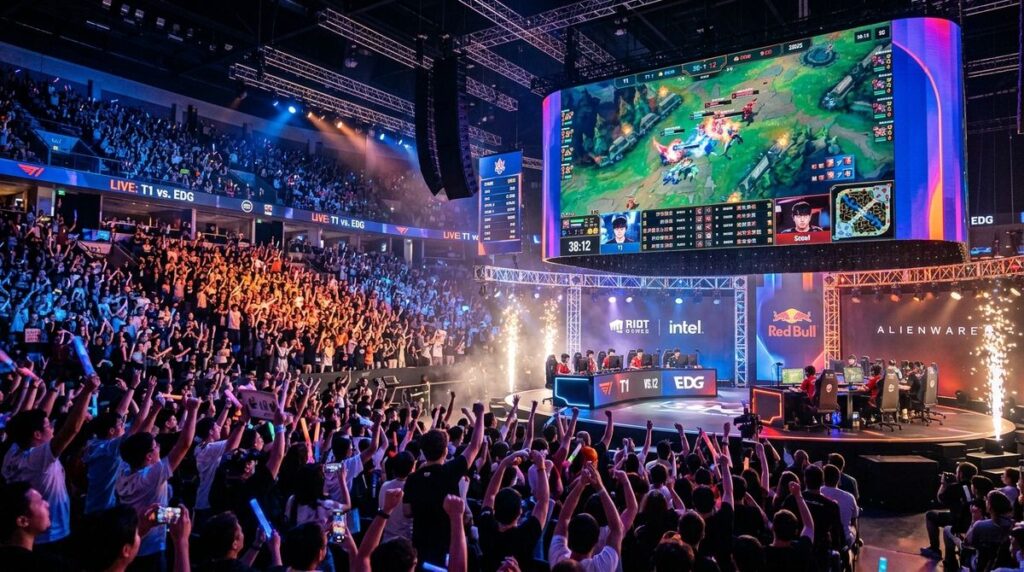
Complex media environments often blend dynamic action with synchronized crowd reactions and multi-layered commentary feeds. Replicating those sprawling acoustic environments in a small room requires equipment that manages wide dynamic ranges without distortion. Sound designers interested in mastering large-scale spatial acoustics can explore our detailed breakdown of authentic arena audio design to learn how engineers balance massive stadium energy against pinpoint sound effects.
Identifying Core Hardware Requirements for Daily Work
A functional workstation relies on a cohesive signal chain where each piece of hardware complements the next. The core components typically include a pair of active nearfield monitors, a set of neutral reference headphones, a clean digital-to-analog converter, and a low-noise audio interface. Rather than prioritizing excessive output volume, audio editors should prioritize transparency and long-term listening comfort.
Headphones serve as an essential reference point, especially in spaces that lack comprehensive acoustic wall treatments. Open-back headphones generally provide a wider soundstage and more natural spatial separation, making them ideal for critical listening, spatial audio placement, and detailed dialogue editing. Closed-back headphones, on the other hand, offer physical isolation that prevents microphone bleed when recording commentary or live reactions at your desk.
When assessing prospective monitoring equipment, consider these fundamental attributes before committing to a purchase:
- Flat frequency response across critical dialogue and mid-range frequencies
- Fast transient response that accurately captures percussion and explosive sound effects
- Low internal noise and clean amplification from the interface and converter
- Durable physical design featuring modular and easily replaceable cables
Researching Product Quality and Consumer Value
Equipment selection requires a critical eye, particularly when commercial gear is frequently marketed with exaggerated feature sets. Sound creators often face tight resource constraints, making it vital to distinguish between durable utility and cosmetic add-ons. Reading product specifications carefully helps ensure you do not pay premium rates for features your studio setup cannot realistically utilize.
Audio professionals and home enthusiasts often need to stretch equipment allowances across multiple hardware categories. Rather than impulse buying during retail promotions, sound designers should consult dedicated shopping resources to locate genuine bargains and dependable product breakdowns. Platforms like shaftdeals.com help creators identify solid product values, track reliable consumer recommendations, and avoid spending extra on inflated studio gear.
Taking time to compare customer feedback across independent consumer forums reveals recurring build defects, driver instability, or hardware quirks that standard promotional materials omit. A durable interface with stable driver support provides far more long-term utility than an expensive unit plagued by firmware dropouts or poor customer service.
Calibrating Audio for Contemporary News and Live Content
Audio design operates in continuous conversation with wider media trends. Contemporary audiences consume content across diverse platforms, including mobile phones, living room televisions, and gaming headsets. Broadcasters and independent game developers must craft sound profiles that remain coherent and engaging regardless of how an individual end user chooses to listen.
To deliver content that resonates with modern viewers, sound editors should actively study how contemporary media outlets structure their programming. Following analytical journalism and media reporting platforms such as tgdailynews.com allows audio creators to observe how news presenters format rapid dialogue, handle narrative transitions, and maintain listener engagement during complex discussions.
Observing the dynamic pacing of modern news broadcasts informs how you treat your own voiceover tracks. Notice how professional sound teams carve out space in the frequency spectrum for voice tracks while keeping musical beds and background ambiance audible yet unobtrusive. Emulating these professional balances ensures your gaming commentary and multimedia productions retain polished broadcast authority.
Practical Calibration Steps for Home Workstations
Even high-end monitoring hardware will underperform if placed haphazardly within an untreated room. Fortunately, thoughtful physical arrangement can significantly improve monitoring accuracy without requiring structural renovations. Begin by positioning your desk away from room corners, as corners naturally amplify bass buildup and create muddy acoustic reflections.
Arrange your monitor speakers so they form an equilateral triangle with your primary seated listening position. The tweeters should sit directly at ear level, angled inward toward your listening spot. Decoupling monitor speakers from your desk surface using dense foam pads or dedicated desktop stands prevents unwanted desk vibrations from coloring your mid-bass frequencies.
After physically arranging your monitors, evaluate your setup using a diverse collection of commercial reference tracks. Choose a mix of high-energy game scores, clean conversational podcasts, and complex orchestral recordings that you know thoroughly. Listen carefully for subtle details: do vocal tracks sit firmly in the center of the stereo image, or do they wander toward one side?
Finally, verify your mixes across everyday consumer listening devices before finalizing any media project. Listen through standard wireless earbuds, basic laptop speakers, and television speakers. If your audio remains intelligible and balanced across these limited playback systems, your workstation has achieved reliable monitoring translation.
Equipping an effective listening workspace is an ongoing journey of refinement rather than a single shopping event. When you prioritize clear monitoring, sound acoustic placement, and attentive listening habits, your media projects will achieve consistent quality across all entertainment formats.