You do not need a dedicated room or expensive equipment to make game music at home. Many composers begin with a laptop on a kitchen table and a pair of headphones borrowed from a drawer. The real goal is a setup that is comfortable enough for tired evenings, quiet enough for the household, and organized enough to find your files quickly. This guide walks through a practical, low-cost studio built one step at a time.
Starting with the space you already have
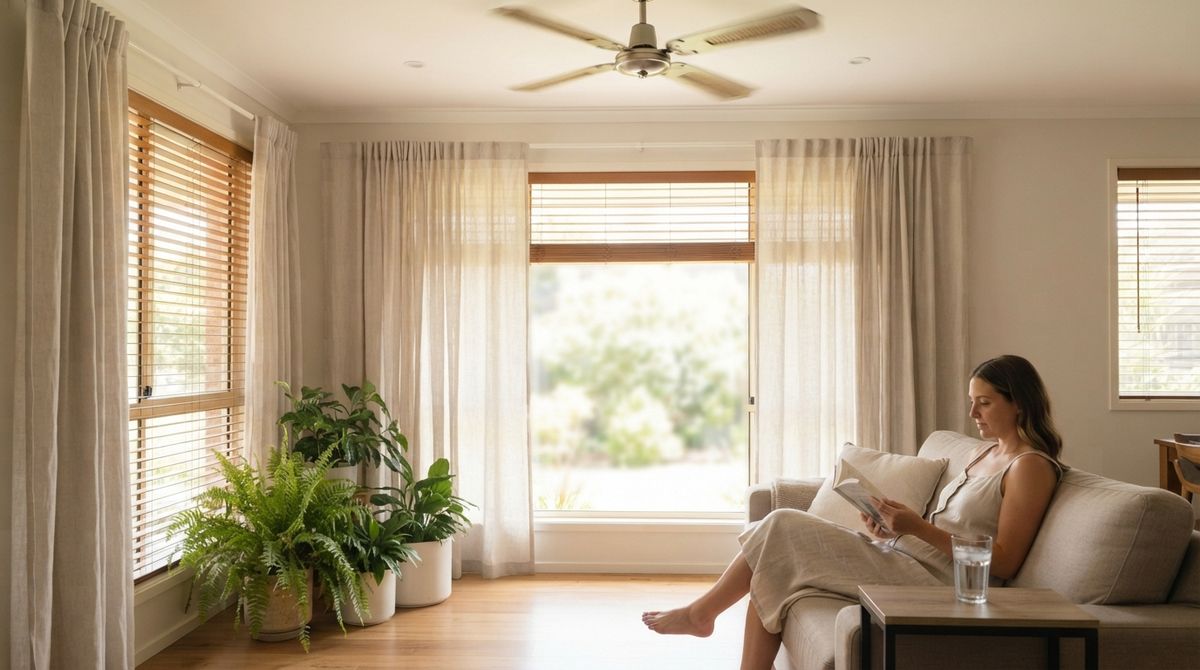
Choose a corner that you can keep for your project, even if it is only a small desk by a window. Consistency matters more than size. When your instruments and files stay in one place, you spend less time setting up and more time writing. A chair that supports your back and a desk at a comfortable height will protect you during longer sessions. Clear the desk at the end of each session so that the next evening starts with a welcoming space rather than a pile of cables. Many home composers start with a single pair of headphones and a quiet room, then add gear slowly as their needs become clear. Keep a short wish list of items, and wait a week before buying anything on it.
Think about sound too. Soft furnishings such as curtains, rugs, and cushions reduce echo, which makes mixes easier to judge. Stand away from bare, hard walls where possible. You do not need acoustic panels to improve the room a little, and a few small changes often make the biggest difference. Try recording a short clap in different spots in the room and listen for the spot where the sound feels least harsh. Readers may also want to visit Dressesenter.
Choosing headphones and a listening setup
Your ears are your most important tool, so listen carefully before buying anything. Closed-back headphones are often recommended for editing because they block outside noise. If you are shopping, read useful websites that compare headphones by comfort and sound profile, and try them in person if you can. Comfort matters because you may wear them for an hour at a time, and a pair that hurts after twenty minutes will quickly stay in the drawer. When you do upgrade, choose the piece that solves the problem you noticed most often during recent sessions, not the one that looks most impressive. A tidy desk also helps focus, so keep only the current project open.
A pair of modest speakers can help you check how your loops sound in a room. Place them at the same height as your ears and at equal distance from you. Do not turn the volume up to feel more impressed. Work at a moderate level, because loud listening tires your ears and makes balance decisions less reliable. Use your headphones for detail and your speakers for the overall balance, then compare the two.
Building a simple signal chain
A signal chain describes how sound travels from your instrument to your speakers. For a basic game music setup, the chain might look like this:
1. A computer running a tracker, a digital audio workstation, or a sample-based instrument.
2. An audio interface, if you plan to record real instruments or voices.
3. Headphones for focused editing.
4. Speakers or a second playback device for checking balance.
You can start with only the first and third items. Add the others when a specific task requires them, such as recording an instrument. Buying equipment only when you know why you need it keeps costs low and avoids clutter on your desk. Write a short note listing your current chain, so you remember what each part is for when you return after a break. You can also visit deltadesignltd.co.uk for more reading.
Keeping cables, noise, and files under control
Small annoyances add up quickly in a home studio. A tangled cable can snag a laptop and interrupt a recording, while a fan or a refrigerator can introduce a faint hum. Specialist write-ups on home recording often suggest planning cable routes before you sit down, and switching off nonessential devices during recording. Keep a folder structure that separates samples, finished exports, and works in progress. A clear system saves minutes every session and makes it easier to find an old loop when inspiration returns.
Backing up your work is equally important. Use an external drive or cloud storage and copy the project folder after each session. For a simple checklist that covers both file organization and backups, a simple online site offers a short template you can adapt to your own workflow. Store a second copy somewhere separate from your computer so that a single failure does not erase months of ideas. For a related read on this site, see Mistakes to Avoid When Using Music in Competitive.
A home studio for game music is a flexible setup that grows with your skills. Begin with a quiet corner, reliable headphones, and a computer you already own. Add equipment only when a real project needs it. Protect your files, keep your listening level comfortable, and treat the room as a place that welcomes you back after work. The best studio is the one you actually use.